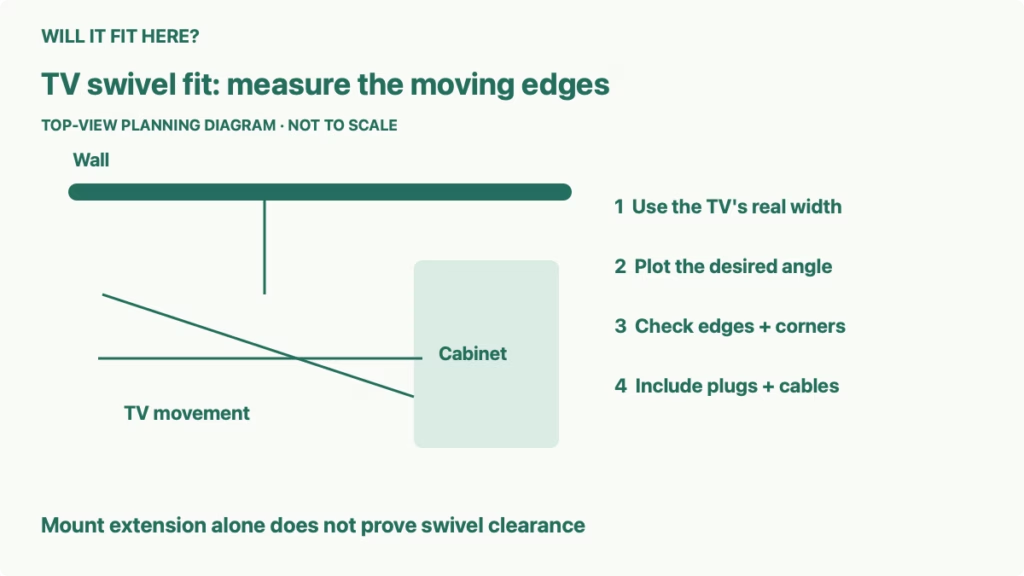
Quick answer: TV swivel clearance depends on the television’s actual width and thickness, the mount’s movement, and every nearby obstacle. A mount’s advertised extension or swivel angle alone cannot prove that your screen will turn beside a cabinet. Plot the TV’s edges in the intended viewing position and through the movement needed to reach it before choosing the mount.
This guide addresses a television that needs to turn toward a second seating area, kitchen, or desk while a tall cabinet or side wall sits nearby. The decision is whether the whole moving screen can use that location. It does not replace the mount’s compatibility check or installation instructions, and it does not authorize a particular wall attachment method.
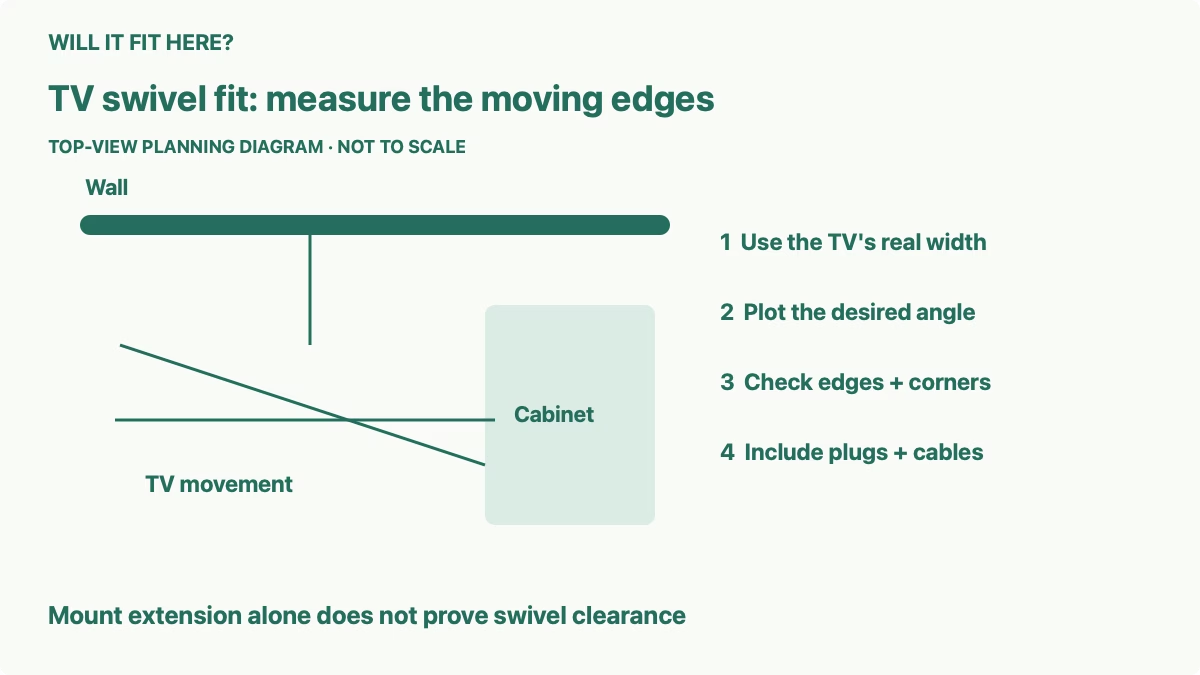
1. Start with real TV swivel clearance measurements
Find the exact television model’s width, height, and depth without its stand. The diagonal screen size is not a substitute for those dimensions. Include any attached speaker or accessory that moves with the TV, and note the location of ports and cable plugs on the back. Two TVs with similar diagonals can have different cases and rear connection layouts.
Measure from the wall to the front and side of the nearby cabinet, and record the cabinet’s height. An obstacle below the TV’s lowest edge may not intersect the screen, but it can still collide with a lower accessory or cable loop. Conversely, a cabinet that appears harmless in a front elevation can meet the back corner when the screen turns.
Use one consistent reference line for your sketch: the finished wall surface behind the mount. Measure projecting trim, a window sill, and furniture handles separately. Record the viewing position you want rather than assuming you need the mount’s maximum angle. A smaller rotation may give the required view while keeping more usable space.
2. Read the exact mount’s extension and movement
SANUS lists its VLF728 as a full-motion mount for 42–90-inch TVs, with 28 inches of extension and swivel of 57 degrees in either direction. These are model-specific published specifications. They are useful when comparing mounts, but they do not guarantee that any TV in the stated size range can reach that angle in your room.
Use the manufacturer’s technical drawing to understand what each dimension references. The distance from the wall to a mount component is not automatically the distance to the TV’s center or rear case. Brackets and the television’s own thickness affect the final geometry. If the reference point is unclear, ask the manufacturer before calculating a clearance from it.
Articulating arms can move the TV sideways as well as outward. The screen may not rotate around the center point you drew for its parked position. Check the intended arm configuration and the path between positions. A mount with enough extension may still have a movement route that brings the screen near a side wall first.
| Input | Why it changes the result |
|---|---|
| Actual screen-case width | Determines how far an edge moves toward the wall when turned |
| Case thickness and connected plugs | Add to the physical envelope behind the screen |
| Mount extension reference | Must correspond to the point used in the drawing |
| Sideways arm movement | Can shift the entire TV toward an obstacle |
| Obstacle position and height | Decide whether the moving parts overlap in three dimensions |
3. Use a top-view sketch to screen the layout
Draw the wall, cabinet, and TV to the same scale on paper. Mark the television’s complete thickness as a narrow rectangle rather than a single line. Make a separate movable paper cutout if that helps you see where both corners go. Plot the parked position, the required viewing position, and intermediate positions along the proposed mount path.
For a simplified illustration, imagine a 60-inch-wide screen rotating about its center. At a 30-degree angle to the wall, the half-width contributes 30 × sin(30°), or 15 inches, toward the wall on one side. That is calculated geometry for a fictional thin screen with a fixed central pivot. It excludes thickness, brackets, cable plugs, lateral arm movement, and any practical margin.
This example explains why width matters. It is not a minimum mounting distance or a fit approval. A real mount can place its pivot elsewhere and move it during articulation. Replace every illustrative assumption with dimensions from the exact TV and mount; then check the complete outline against the room.
4. Check cables and accessories throughout movement
Plan each connected cable from its TV port to its destination. A cable that reaches in the parked position may become tight when the TV extends or swings to the other side. A loop that clears the wall while extended may be trapped when the mount retracts. Follow the mount’s cable-routing instructions and the cable manufacturer’s bending requirements.
Rear-facing HDMI plugs, power connectors, and adapters can project farther than the case specification. Measure the connected arrangement, including a strain-relief section if applicable. Do not assume an angled adapter solves the issue without checking its compatibility and how it changes the connection direction.
If a soundbar is mounted to move with the television, include its complete width, depth, and lowest point in the sketch. A fixed soundbar on the cabinet creates a different situation: the turning screen must clear it, and the final viewing position may no longer align with the speaker. Check controls, remote reception, and access to connections as practical operating needs.
5. Verify the full path before committing
Use a paper layout or a lightweight dimensional mockup before purchase. Avoid holding a heavy television in an improvised position to test the idea. If a mount is already properly installed, follow its instructions for adjustment and have the required assistance; stop when a cable or object interferes rather than forcing the movement.
Assess both directions even if you normally turn toward only one seating area. You may need the other direction for connection access or servicing. Consider how far the screen projects into a walking route and whether an open cupboard door changes the collision picture. A television that clears a cabinet with its doors shut may meet a door left open.
Keep unresolved items separate from a pass result. Missing mount-reference dimensions, an unknown cable projection, or an unclear arm path call for manufacturer clarification. Once the moving outline clears all obstacles, complete the separate checks for TV weight, mounting pattern, wall structure, and approved installation.
Common questions
Does a listed swivel angle apply to every supported TV size? It describes the mount’s advertised movement. Your television and room can limit the angle actually available.
Can I use the diagonal instead of the case width? No. The edge path depends on the actual width, thickness, and pivot geometry.
Is the simplified calculation a safe installation clearance? No. It illustrates one geometric effect and omits several real dimensions. Use the exact drawings and installation requirements.
For related room planning, see our guides to space between a sofa, coffee table, and TV stand, a recliner’s fully open footprint, and sectional chaise orientation.
Official sources and limits
Checked October 7, 2026: SANUS VLF728 official product specifications and its linked technical drawing. The 60-inch example is explicitly fictional and calculated, not a product measurement or hands-on test. This guide concerns spatial planning; compatibility and structural installation require their own manufacturer-approved checks.


