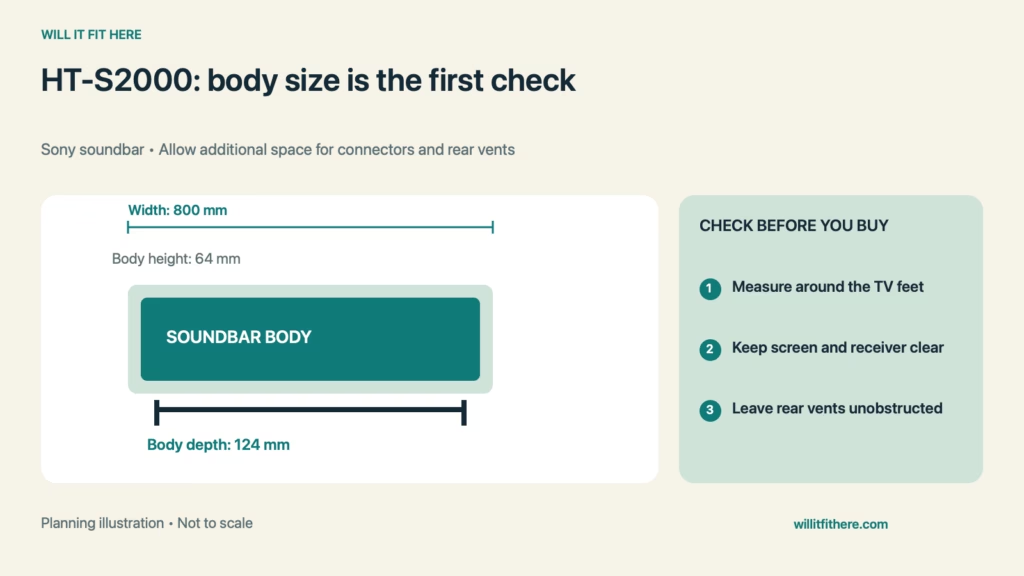
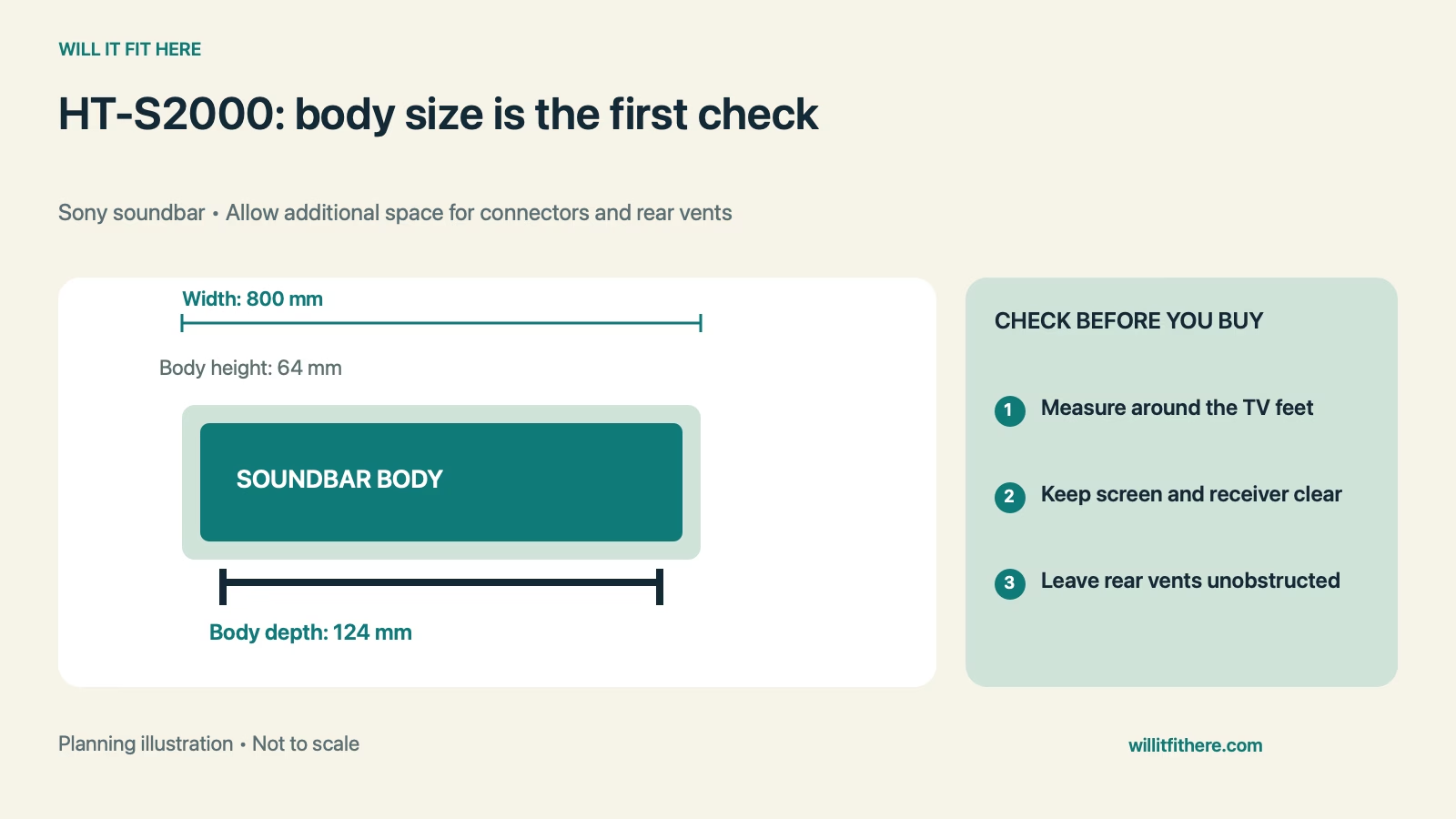
Fit verdict: HT-S2000 Fit requires more than an 800-mm-wide gap. Sony lists the soundbar body at 800 × 64 × 124 mm, in width × height × depth order, and directs shelf placement in an empty space in front of the TV. Check the actual feet, screen height, rear ventilation holes, and cable route before sliding it into a tight media unit.
This guide uses published specifications and planning calculations, not a firsthand product test. Examples are hypothetical.
Dimensions and conditions
| Measurement | Published specification |
|---|---|
| Product covered | Sony HT-S2000 bar speaker |
| Body dimensions, W × H × D | 800 × 64 × 124 mm |
| Body weight | 3.7 kg |
| TV HDMI connection | One HDMI output supporting eARC/ARC |
| Other TV-audio connection | Optical audio input |
| Shelf placement guidance | Empty space in front of the TV; keep rear ventilation holes uncovered |
| Power equipment | AC adapter and AC cord require separate placement and routing |
1. Measure the actual gap around the TV feet
Start HT-S2000 Fit at the height and depth where the bar will sit. Angled television feet can leave a different gap at their front tips than near the panel. Measure the narrowest obstruction along the whole 800-mm width, not just the distance between the feet at one convenient point. A paper rectangle 800 by 124 mm is a useful tabletop template. Add a 64-mm-high cardboard profile to check whether the soundbar would intersect sloping legs, a center pedestal, or the lower screen edge.
2. Check the screen and remote path from your seat
The bar’s 64-mm body height must be compared with the actual television arrangement. Include a shelf lip, any planned pad, and the vertical position of the panel. Look from normal seating height, because a bar that appears clear from above may block the bottom of the picture when viewed from a low sofa. HT-S2000 Fit also includes reliable access to the TV’s controls and remote receiver. Identify those locations for your exact television and test them rather than assuming every TV places its receiver in the same spot.
3. Reserve depth for plugs and rear ventilation
Measure the usable shelf depth after accounting for a raised front edge, back panel, TV stand, and existing cables. The 124-mm figure describes the soundbar body, not the space occupied by connected plugs and cable bends. Sony specifically warns against covering the ventilation holes at the rear. HT-S2000 Fit therefore cannot be decided by pushing the bar flush against a cabinet back. Use the installation instructions and actual cables to establish the needed space. Keep cable loops out of the vents and avoid straining connectors against furniture.
4. Give the power adapter an accessible location
The compact bar still has separate power equipment. Place the supplied adapter where it is supported, accessible, and used according to its instructions. Check whether plugs can pass through the media unit’s cable opening; a hole large enough for a cable may not pass a molded connector. Keep the route from pulling on the soundbar when furniture moves. HT-S2000 Fit should leave enough access to disconnect equipment without dragging the bar across the console. Include the television, soundbar, and other equipment when checking the furniture’s supported load.
5. Match the TV audio path before arranging furniture
Confirm which connector you will use before finalizing placement. Sony lists an HDMI output with eARC/ARC and an optical audio input. An ordinary TV HDMI socket without the audio-return function is not interchangeable with the TV’s labeled ARC or eARC port for this connection. The bar does not provide an HDMI source-input port for routing a player through it. Check your television’s labels, audio settings, and supported formats. Then measure the actual route to that selected port, including any side-facing plug that can conflict with a cabinet wall.
HT-S2000 Fit: a worked example
Suppose the intended shelf opening is 820 mm wide, 75 mm high, and 140 mm deep. The bare-body differences are 820 − 800 = 20 mm across, 75 − 64 = 11 mm vertically, and 140 − 124 = 16 mm in depth. If centered, only 10 mm remains at each end. This HT-S2000 Fit example passes a simple rectangular comparison but does not prove suitable placement. The remaining 16 mm behind the body may be insufficient for the selected connectors, cable bends, and unobstructed rear vents. Measure the connected arrangement rather than purchasing on the basis of the three positive subtraction results.
Before you decide
- Mark an 800-by-124-mm footprint and a 64-mm height.
- Check the TV feet, image area, and remote receiver.
- Keep rear vents open and measure with plugs connected.
- Find a suitable place for the adapter and cable slack.
- Verify the exact TV audio port and access to it.
FAQ
Will it fit between any 43-inch television’s feet?
No. HT-S2000 Fit depends on the actual stand arrangement, not the screen diagonal. Measure the narrowest gap where the full soundbar body will be positioned.
Can I recess the bar in a closed cabinet?
Do not treat the body dimensions as a cabinet-opening specification. Sony’s illustrated shelf arrangement places the bar in open space in front of the TV, and its rear vents must remain uncovered. Check the installation guidance before using an enclosed location.
Does a snug physical fit establish TV compatibility?
No. A working audio route is a separate requirement. Verify the television’s ARC/eARC or optical output, relevant settings, and supported formats before committing to cable routing or furniture changes.
Related fit guides
Checking soundbar clearance below a wall-mounted TV and Planning connector space in a media niche.
Official sources
Specifications and instructions checked November 6, 2026. Confirm the exact model and current instructions before purchase or installation.