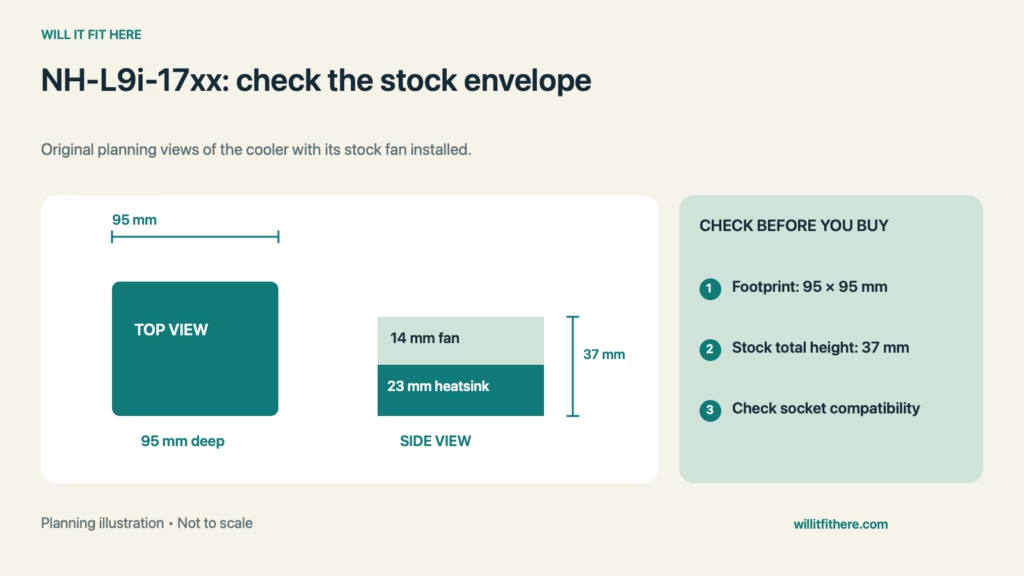
Noctua NH-L9i-17xx Fit depends on more than finding 37 mm inside a small computer case. That is the stock cooler’s total height with its supplied fan, but socket compatibility, motherboard obstacles, panel geometry, and the CPU’s cooling needs must also match. Start with the exact cooler suffix and the exact case revision.
Fit verdict: This is a compact cooler candidate for supported Intel LGA1700 or LGA1851 systems when the case and motherboard are compatible. A successful physical fit does not establish that it can cool your chosen CPU under your intended workload.
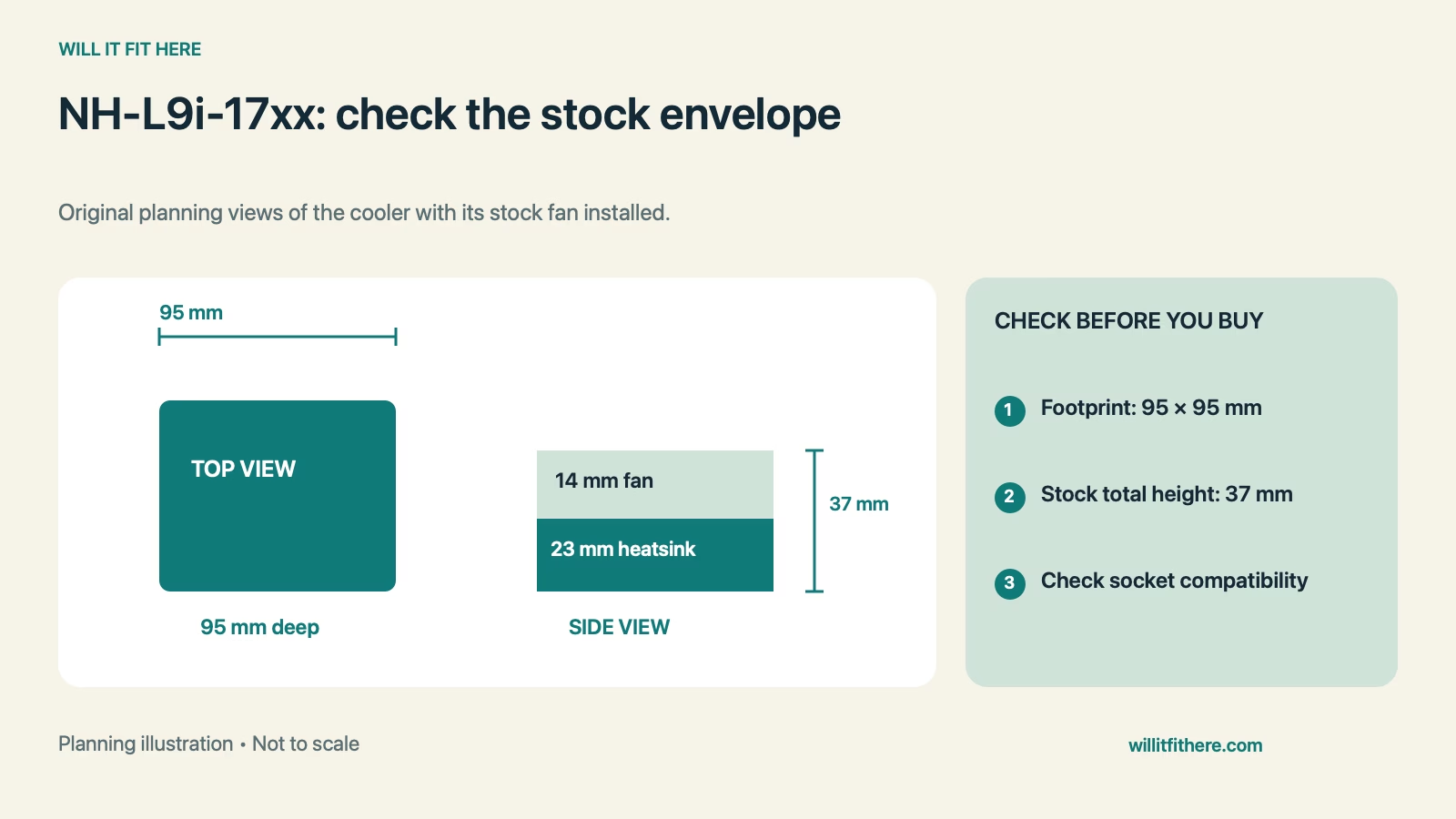
Noctua NH-L9i-17xx Fit: stock dimensions
| Measurement | Published size | Planning use |
|---|---|---|
| Height with stock fan | 37 mm | Compare case cooler clearance |
| Heatsink height without fan | 23 mm | Not the operating assembly height |
| Width and depth | 95 × 95 mm | Check socket-area envelope |
| Supplied fan | 92 × 92 × 14 mm | Identify stock configuration |
| Current socket listing | LGA1700 / LGA1851 | Match motherboard and hardware |
Use dimensions from the cooler specification, not the shipping carton. Keep any case manufacturer’s stated restrictions alongside your measurements so an apparently roomy chassis does not hide a mounting limitation.
1. Confirm the complete model name
Read the label rather than relying on a listing shortened to “NH-L9i.” Noctua offers related low-profile models for different platforms. A similar fan or heatsink shape does not mean that the mounting hardware matches your board.
Record the motherboard model, CPU, socket, and cooler variant on one note. For Noctua NH-L9i-17xx Fit, check those identifiers against current manufacturer compatibility information before buying. Include any replacement mounting parts already installed in a used system.
2. Compare the case’s real cooler-height allowance
Find the case maker’s CPU-cooler limit for your configuration. Some compact systems have optional brackets or layouts that change available space. Do not substitute the case’s outside thickness, which includes panels, standoffs, and other structures unrelated to cooler clearance.
In a hypothetical comparison, a case specified for a 35 mm cooler cannot accommodate the stock 37 mm assembly. A 40 mm allowance leaves a nominal 3 mm dimensional difference. That difference is arithmetic, not a manufacturer-approved airflow gap or a thermal-performance guarantee.
3. Inspect the full socket-area envelope
Make a 95 mm square paper outline for planning while the computer is powered off and disconnected. Use it as a visual reference, not a substitute for the actual mounting instructions. Look for nearby structures and for access needed to attach the cooler.
Noctua describes the compact footprint as providing RAM and PCIe compatibility, but check its motherboard guidance for your exact model. Noctua NH-L9i-17xx Fit should account for unusual covers, aftermarket accessories, and the route to the fan header, not just memory-stick height.
4. Keep the stock fan height distinct from upgrades
The 37 mm figure includes the supplied slim fan. Changing the fan changes the envelope. If you are planning a replacement, compare its dimensions, mounting compatibility, and manufacturer guidance before assuming the original case calculation still applies.
A hypothetical substitution of a 25 mm-thick fan for a 14 mm-thick fan adds 11 mm to the simple stack calculation. It is not a claim that every such fan works or that any accessory can be omitted. Repeat the complete clearance check for the actual assembly.
5. Check cooling suitability separately
Consult the manufacturer’s CPU compatibility information for your exact processor and heed its warnings about high heat loads. Socket support answers whether the mounting platform is appropriate; it does not promise unrestricted processor performance in a confined case.
Finish Noctua NH-L9i-17xx Fit planning by checking the case’s ventilation layout and keeping intended intake paths unobstructed. Follow the component instructions for installation and verification. Do not infer a safe workload from a closed side panel alone.
Pre-build checklist
- Record the exact cooler, CPU, board, and case models.
- Check the case limit against the 37 mm stock assembly.
- Review motherboard and CPU compatibility separately.
- Inspect cable access and any nearby added hardware.
- Recalculate if the fan or case configuration changes.
FAQ
Can I use the 23 mm heatsink figure for case planning?
No. The supplied fan brings the stock assembly to 37 mm.
Does socket compatibility prove adequate cooling?
No. Noctua NH-L9i-17xx Fit requires a separate check of the CPU’s cooling suitability and case ventilation.
Is an AMD NH-L9 model interchangeable?
Do not assume so. Match the specified mounting platform rather than treating the product family as one universal cooler.
Related fit checks
For another component-envelope problem, read our 15 mm versus 25 mm fan guide. Larger cooler planning is covered in the NH-D15 G2 clearance guide.
Official sources
Checked November 5, 2026: Noctua specifications and Noctua product and compatibility guidance. This article provides planning steps, not firsthand hardware test results.