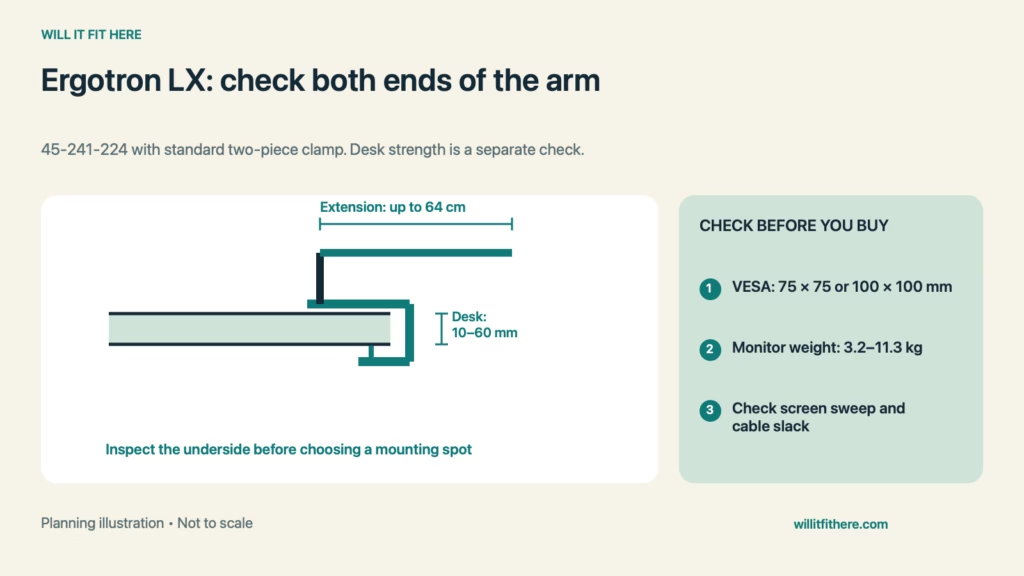
Fit verdict: Ergotron LX Fit requires a compatible desk edge and a suitable monitor, not simply a screen below a certain diagonal size. For the matte-black 45-241-224 with its standard two-piece clamp, Ergotron lists a 10–60 mm desk-thickness range, 75 × 75 or 100 × 100 mm VESA patterns, and a monitor weight range of 3.2–11.3 kg. Desk construction, monitor depth, and the arm’s moving path still need checking.
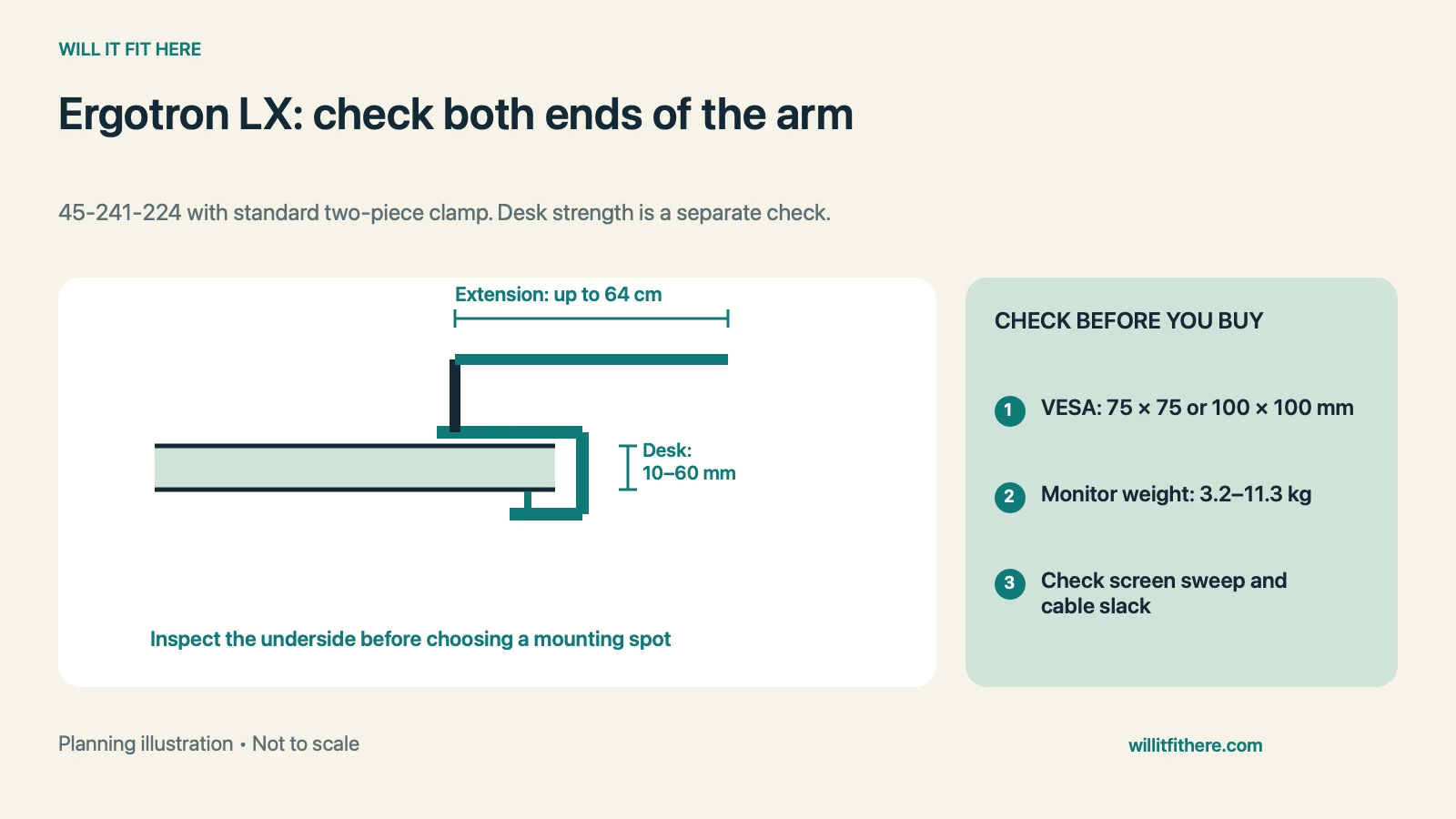
This guide interprets published specifications for planning. It is not a hands-on installation test or a structural assessment of your desk. The example is hypothetical; use the instructions supplied with your exact arm.
Specifications for the standard two-piece-clamp version
| Check | Official specification |
|---|---|
| Model covered | LX 45-241-224, matte black |
| Desk edge thickness | 10–60 mm |
| Monitor mounting patterns | 75 × 75 mm or 100 × 100 mm VESA |
| Monitor weight range | 3.2–11.3 kg / 7–25 lb |
| Published arm extension | Up to 64 cm / 25 in |
| Important qualifications | Monitor depth above 8.9 cm may reduce capacity; heavier monitors can reduce lift range |
1. Match the arm and clamp part number
Start Ergotron LX Fit by reading the carton or order listing closely. The LX family includes different pole heights and mounting arrangements, and LX Pro is a separate product family. A specification for a low-profile clamp should not be substituted for the standard two-piece clamp covered here. Confirm the actual hardware you have before planning a mount behind a fixed desk. Do not assume an accessory clamp can be retrofitted just because its name contains LX.
2. Measure the contact area above and below the desktop
Ergotron LX Fit at the desk begins with thickness at the exact mounting position, not the thickness near a convenient front corner. Inspect the underside for a frame rail, drawer box, cable tray, or sloping bevel. Both contact faces must seat as directed in the installation instructions. The 10–60 mm range describes the clamp opening; it does not certify a hollow, damaged, glass, or lightly constructed desktop for concentrated loading. Confirm the desk manufacturer permits monitor-arm mounting before tightening hardware.
3. Check the monitor without its original stand
Use the monitor’s mounting weight, including any attached accessories that the arm will carry, rather than its shipping weight. Compare both the lower and upper ends of the supported range. Then measure the VESA holes center to center horizontally and vertically. Recessed holes, a removable rear cover, or a manufacturer-specific adapter can change the installation. Use the correct screw type, length, and any specified spacers. Never force a screw to compensate for a plate that does not sit correctly.
4. Draw the screen’s entire moving path
Ergotron LX Fit involves the screen corners and rear housing as the arm folds, extends, tilts, and rotates. Mark the intended viewing position, then inspect the route toward the rear wall and nearby shelves. The published extension is not a promise that every monitor can reach every point within that distance. Ergotron warns that a monitor deeper than 8.9 cm can reduce capacity. It also notes that monitors above 9.1 kg may have reduced vertical movement. Check those qualifications before designing a tightly fitted overhead shelf.
5. Leave cable slack through the full adjustment range
Route display and power cables according to the arm instructions, then check each intended position before final cable dressing. A cable that reaches comfortably when the screen is centered can pull tight when the arm extends or the panel rotates. Look at the connector body as well as the cable itself; a rear-facing plug can strike a wall before the screen does. Avoid trapping cables between moving joints, and preserve access to unplug the monitor without dismantling the desk.
Ergotron LX Fit: a worked clamp-opening example
Suppose a desktop measures 55 mm at the proposed position. A desk-approved protection arrangement you are considering would add 8 mm in total between the clamp’s contact faces. The required opening would be 55 + 8 = 63 mm, exceeding the 60 mm maximum by 3 mm. This Ergotron LX Fit calculation rules out that exact combination before installation. It does not mean that removing protection automatically makes the desk suitable; the desk’s construction and both manufacturers’ instructions still determine an acceptable setup.
Installation checklist
- Confirm 45-241-224 and the standard two-piece clamp.
- Measure the complete thickness between the contact faces.
- Verify desk construction and unobstructed underside access.
- Check monitor mounting weight, depth, VESA pattern, and screws.
- Test the planned movement envelope and cable slack.
FAQ
Does a 27-inch monitor automatically work?
No. Ergotron LX Fit depends on mounting weight, VESA compatibility, depth, and installation geometry. The screen diagonal alone does not answer those questions.
Can I use the clamp on a desktop exactly 60 mm thick?
That is the stated upper thickness limit for this clamp. Measure accurately and include any layers between the contact faces. A dimensional match still requires a suitable supporting surface.
Is the grommet option interchangeable with the clamp calculation?
No. Through-desk mounting has separate hole, thickness, and hardware requirements. Read the matching instructions rather than applying the edge-clamp range to a grommet installation.
Related fit guides
Plan moving wires with standing-desk cable-slack checks, and compare mounting basics in VESA, weight, and mounting-hole checks.
Official sources
Specifications checked November 6, 2026. Follow the current manual for your exact arm, clamp, monitor, and desk.