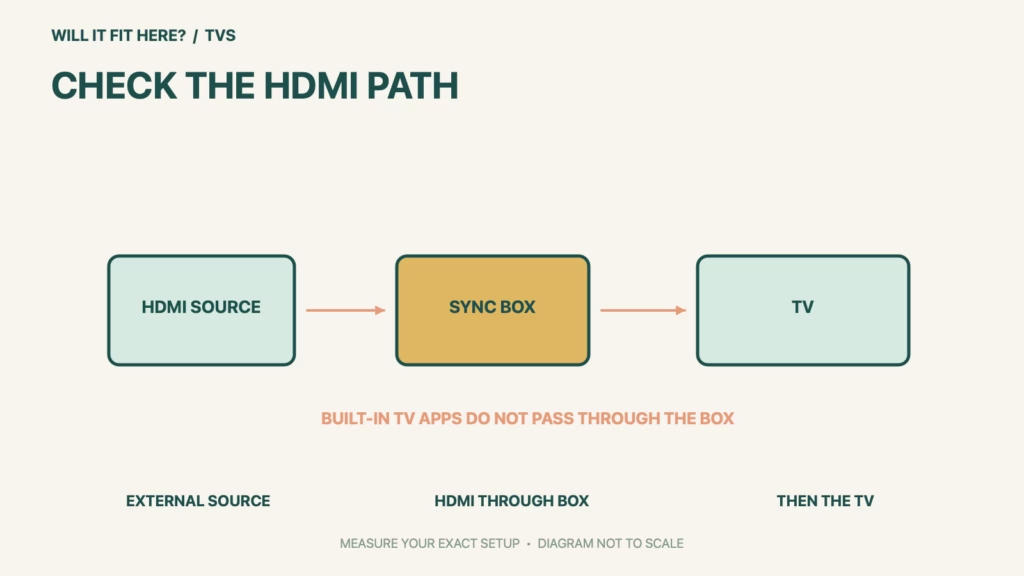
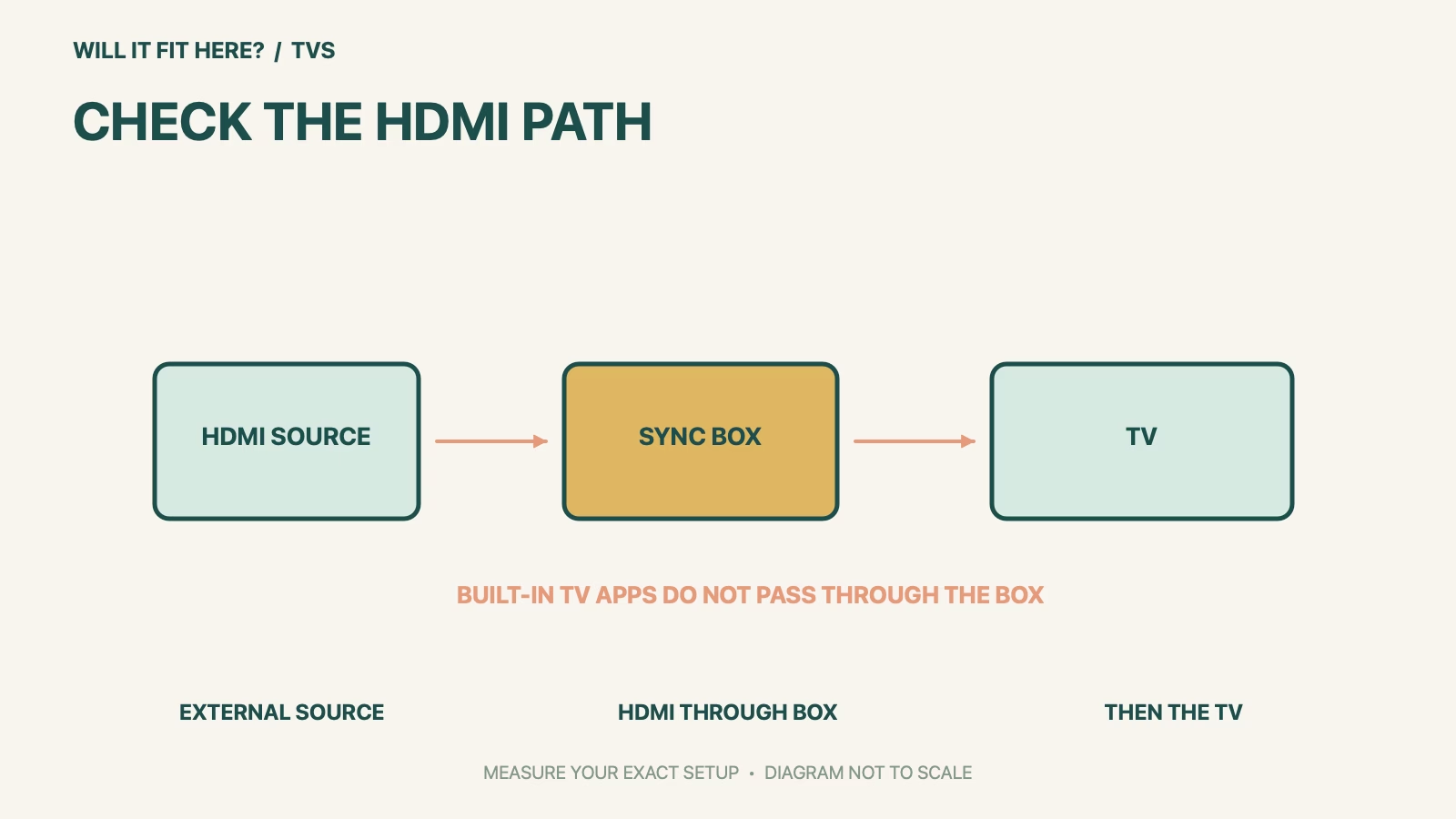
Fit verdict: A Hue Sync Box 8K belongs in the HDMI signal path from an external source to the TV. It does not sync a TV’s built-in apps through an HDMI cable. Decide which content source you actually use before reserving cabinet space for the box.
The product is the Philips Hue Play HDMI sync box 8K, not the original 4K box, a camera-based Play screen sync device or the Hue Sync TV app. Those products have different signal paths and requirements.
Dimensions and conditions
| Check | Official reference | What to verify |
|---|---|---|
| Signal source | External HDMI device | Console, streaming box or another supported HDMI source. |
| Built-in TV apps | Not supported by the HDMI sync box | Their video signal does not pass through the box. |
| Headline video modes | 8K 60 Hz and 4K 120 Hz | Verify the complete device/cable chain and supported formats. |
| Standard | HDMI 2.1 certified | Do not transfer 8K specifications to the older 4K box. |
| Published 183 × 72 × 248.5 mm | Packaging dimensions | Do not treat these as the enclosure or cable-clearance size. |
1. Draw the Hue Sync Box 8K signal route
Write the source on the left and the TV on the right, then place the sync box between them. Philips Hue’s setup guidance shows the external device connected to a box input and the output connected to the TV. If you launch everything from a TV’s built-in apps, the box will not receive that video just because the TV has HDMI sockets. Check the official alternatives for your exact TV instead of buying a box to solve the wrong signal-path problem.
2. Measure the real enclosure with plugs fitted
The product listing labels one dimensions section as packaging. That is a common planning trap: the shipping box does not establish how far HDMI plugs and the power lead project from the device. Measure the actual enclosure and selected connectors before making a close cabinet cutout. Leave access to change a lead without pulling it by the cable. Keep ventilation and the operating temperature requirements in the product instructions in the plan.
3. Check the complete video and lighting system
A supported headline resolution does not promise every combination of source, receiver, display, cable length and video format. Verify the intended mode against Hue’s compatibility guidance and the other manufacturers’ specifications. Follow the current Hue setup instructions for the required lighting, bridge and Entertainment area. Test one source path first, then repeat for the other devices you intend to connect. An image on the TV alone does not confirm light synchronization.
Before you decide: 5 checks
- Identify whether the content comes from HDMI or a built-in app.
- Confirm that the product is the 8K sync box.
- Draw every receiver, switch and cable in the signal path.
- Measure the actual box with connectors, not its retail packaging.
- Verify picture mode and lighting sync with the complete setup.
Keep a short Hue Sync Box 8K fit record with the exact product or service identity, the official rule you checked and the measurements from your own setup. Mark anything you could not verify as unresolved. Recheck the record if the product, accessories, route or surrounding space changes; an earlier fit result belongs to the configuration that was actually checked.
FAQ
Will the Hue Sync Box 8K sync my TV’s built-in Netflix app?
The HDMI sync box does not sync built-in TV apps. Check a supported alternative for your TV.
Are 183 × 72 × 248.5 mm the device dimensions?
That section of the cited listing is explicitly packaging dimensions; do not use it as a tight enclosure template.
Does HDMI 2.1 certification guarantee every source setting?
Check the supported formats and the whole chain. A device or cable elsewhere can limit the final mode.
Related fit guides
Continue with Sonos Era 300 Fit: 5 Open-Shelf Placement Checks or browse TVs fit guides. Check each item against its own specifications; a related guide does not establish this product’s compatibility.
Official sources
- Philips Hue sync box 8K product listing
- Philips Hue: choosing a sync option
- Philips Hue HDMI compatibility guidance
Sources checked 27 October 2026. Measurements and conditions are attributed above; room and packing checks are planning guidance. Recheck the current official instructions before purchase, installation or travel.


