Quick answer: A remote cover fits only when its body shape, buttons, sensors and charging opening match the exact remote. A cover can stretch onto the case while preventing the charging plug from seating fully.
Identify the remote independently of the television box
Apple’s third-generation Siri Remote, introduced in 2022, uses USB-C charging and is listed as 136 × 35 × 9.25 mm. Apple also lists compatibility with multiple Apple TV generations. The generation of the Apple TV therefore does not reliably identify the remote currently paired with it.
Use the remote’s model information and connector type when checking the cover supplier’s compatibility. “For Apple TV” is too broad: different remote designs have different edges, controls and charging arrangements.
Compare the opening with the plug housing
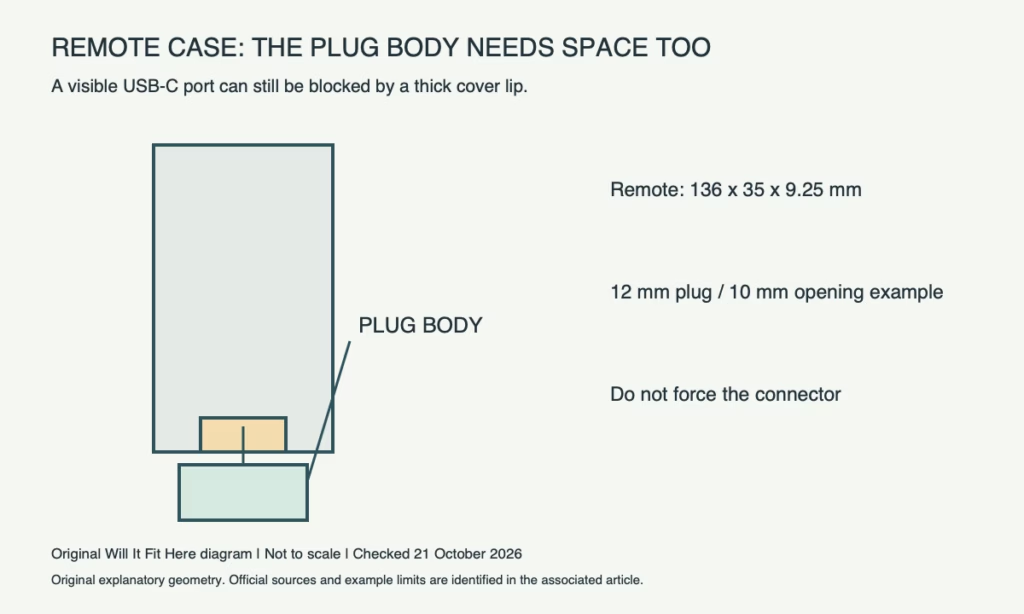
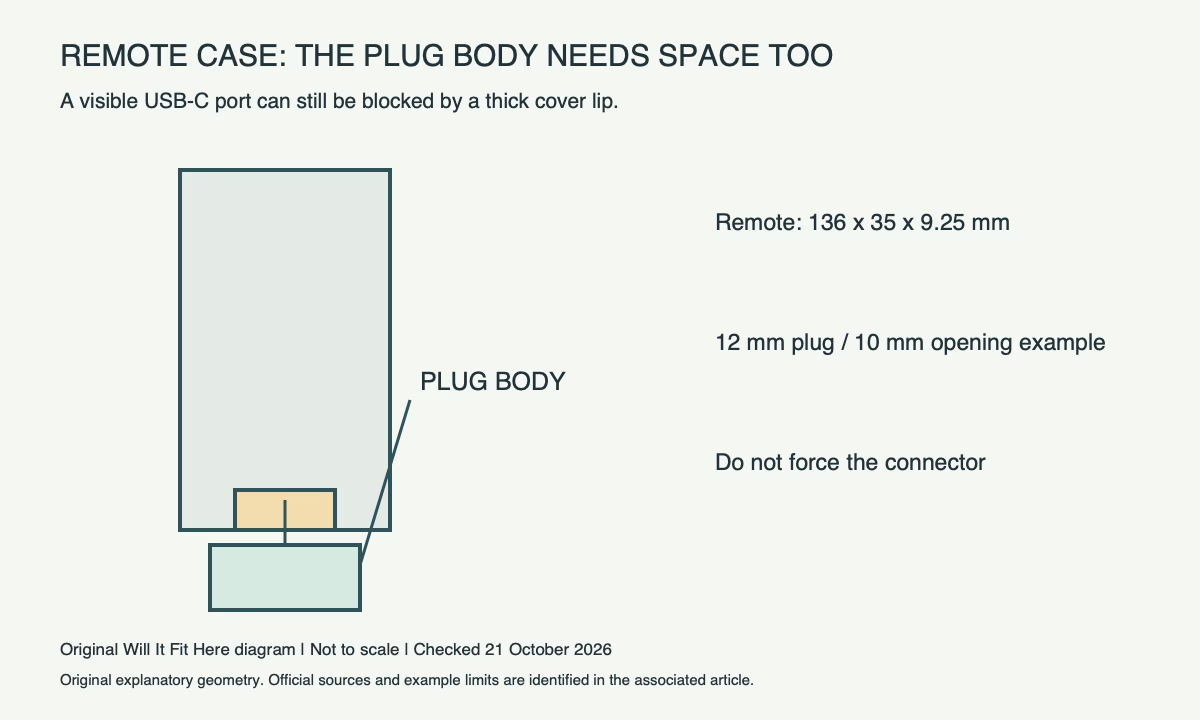
Measure the charging cable’s moulded plug body as well as its metal connector. The port can remain visible while a thick cover lip stops the moulding before the connector reaches its normal seated position. Do not shave the remote, force a connector or leave a loose electrical connection to preserve the cover.
| Hypothetical same-axis example | Dimension |
|---|---|
| Cable plug moulding width | 12 mm |
| Cover’s usable opening | 10 mm |
| Shortfall | 2 mm total; not 2 mm per side |
Those opening and plug dimensions are illustrative, not Apple specifications. The correct comparison uses the actual cable and case; rounded corners and the depth of the opening can also interfere.
Test the controls with the cover in place
Check the clickpad, buttons and any microphone or IR opening against the case maker’s design. Include the power button and side controls. A snug cover that continuously presses a button is not a functional fit. Follow the cover’s insertion and cleaning instructions to avoid damaging the remote.
Leave enough room to connect the cable without bending it sharply against the edge of a shelf or charging holder. If normal charging requires removing the cover, decide whether that is the intended and practical arrangement before buying.
Before you decide
- Exact remote generation and connector type identified.
- Cover explicitly supports that remote.
- Actual plug moulding can seat normally through the opening.
- Buttons, clickpad, microphone and IR functions remain unobstructed as designed.
Common questions
Can I choose a case by the Apple TV generation? Not reliably. A remote can be paired with more than one supported Apple TV generation.
Does a visible charging port prove fit? No. The surrounding opening must admit the complete plug far enough for normal seating.
Official sources and scope
Checked October 21, 2026: Apple Siri Remote USB-C third-generation specifications. Confirm the exact product, route or current policy before acting. No firsthand fit test is claimed.
Related guide: Game Console Fit: 5 Useful TV-Shelf Checks. This addresses a separate fit check; its measurements do not transfer to the products above.


