Quick answer: A dash cam can hide behind a mirror from one viewpoint yet block the driver’s view, strike the mirror or have its lens obscured. Check the complete camera-and-mount envelope, cable plug and actual lens position with the driver seated normally.
Measure the mounted assembly
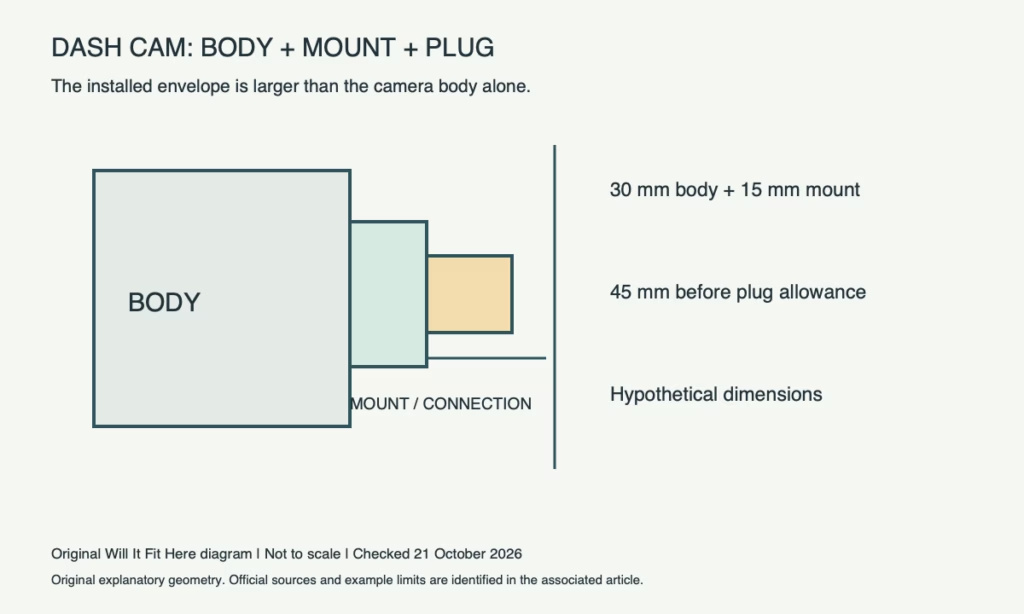
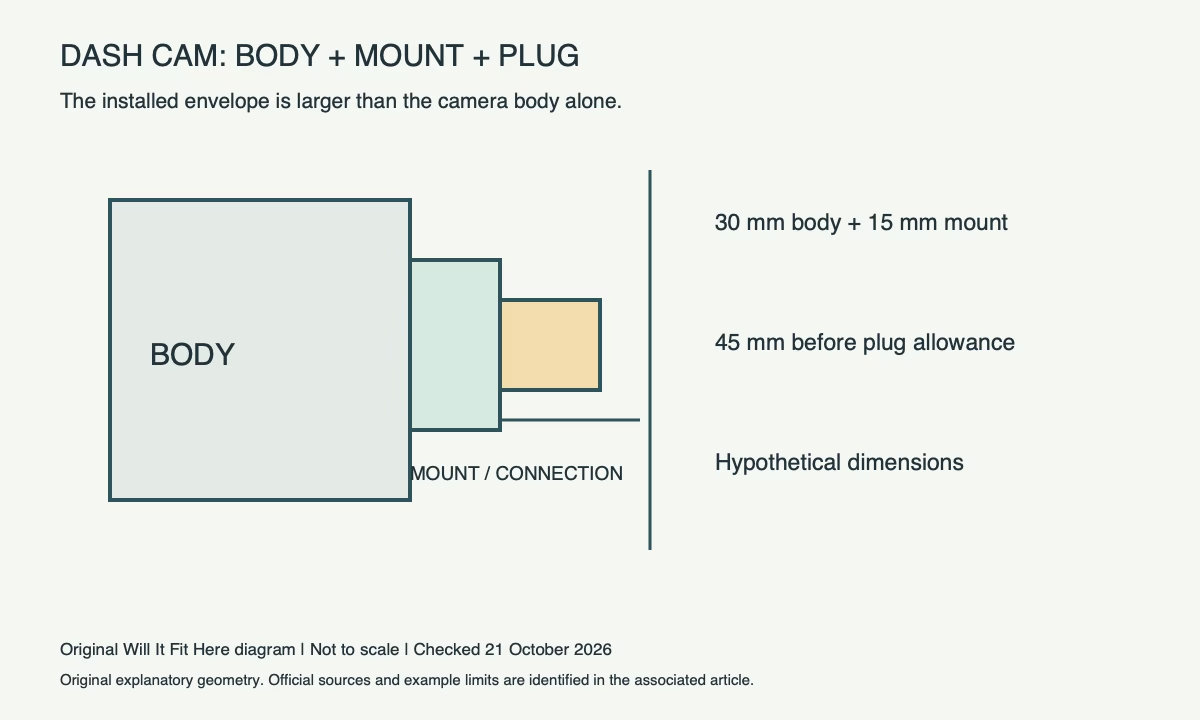
Record the camera body, adhesive or suction mount, adjustment range and plugged-in cable. Compare that assembly with the mirror housing and windshield slope. A product’s body-only dimensions omit the stand-off created by its mount and often the space needed to release it.
As a hypothetical example, a 30 mm-deep body plus a 15 mm mount stand-off occupies 45 mm before cable allowance. If only 40 mm is available along that same reference direction, there is a 5 mm conflict. These numbers are not Garmin Mini 3 specifications and do not describe a required safety clearance.
Check the lens rather than the case outline
Garmin’s Mini 3 mounting instructions call for checking that the camera has a clear view at the proposed position, and describe using the app’s live view. A case placed behind the mirror can leave its lens looking into the mirror housing, a dotted windshield area or a fixed sensor cover. Keep manufacturer-installed cameras and sensors unobstructed.
| Check position | Look for |
|---|---|
| Driver’s normal eye position | No new obstruction to the required view |
| Camera lens position | Clear view through appropriate glass |
| Mirror adjustment range | No collision with camera, mount or cable |
| Removal and service position | Access without pulling the cable or forcing the mirror |
Plan before attaching adhesive
Check the permitted mounting position under the vehicle instructions and applicable local windshield rules; this guide does not establish a legally acceptable location. Do the inspection while parked. Follow the camera’s surface-preparation, temperature and attachment instructions before committing to a location. Route power as the manufacturer directs and keep it clear of airbags and moving controls; seek suitable installation help where routing is unclear.
Before you decide
- Full mounted depth and plugged-in cable measured.
- Driver visibility and fixed vehicle sensors remain clear.
- Lens view and mirror adjustments checked while parked.
- Permitted mounting and safe cable route confirmed before attachment.
Common questions
Is “behind the mirror” always an approved location? No. Vehicle equipment, the camera view and local requirements differ.
Can I judge fit from the camera’s width alone? No. Mount projection, glass angle, cable approach and service access also matter.
Official sources and scope
Checked October 21, 2026: Garmin Mini 3 windshield mounting instructions, Garmin Mini 3 owner’s manual. Confirm the exact product, route or current policy before acting. No firsthand fit test is claimed.
Related guide: Windshield Sunshade Fit: Measure the Outline, Not Just Width. This addresses a separate fit check; its measurements do not transfer to the products above.