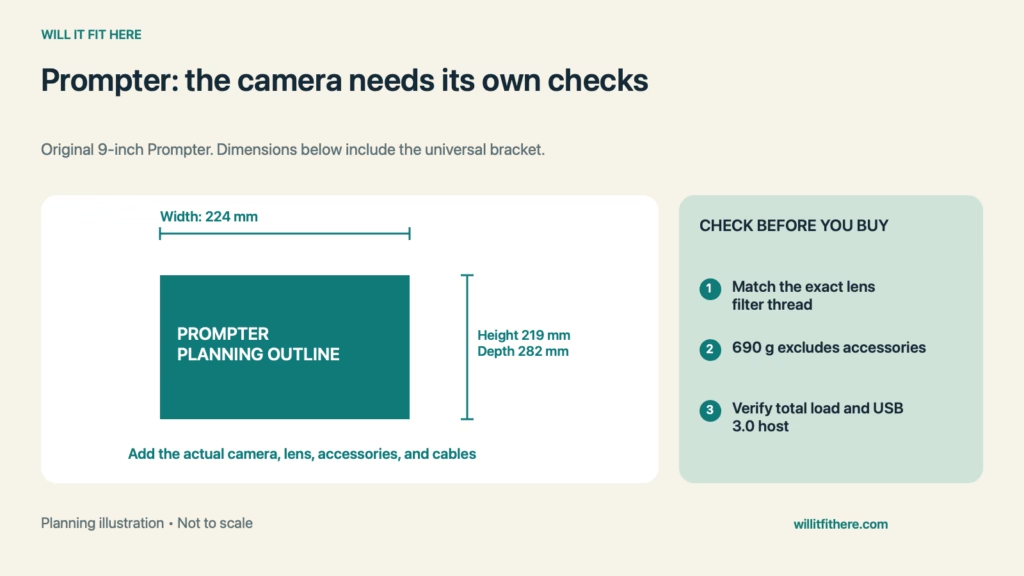
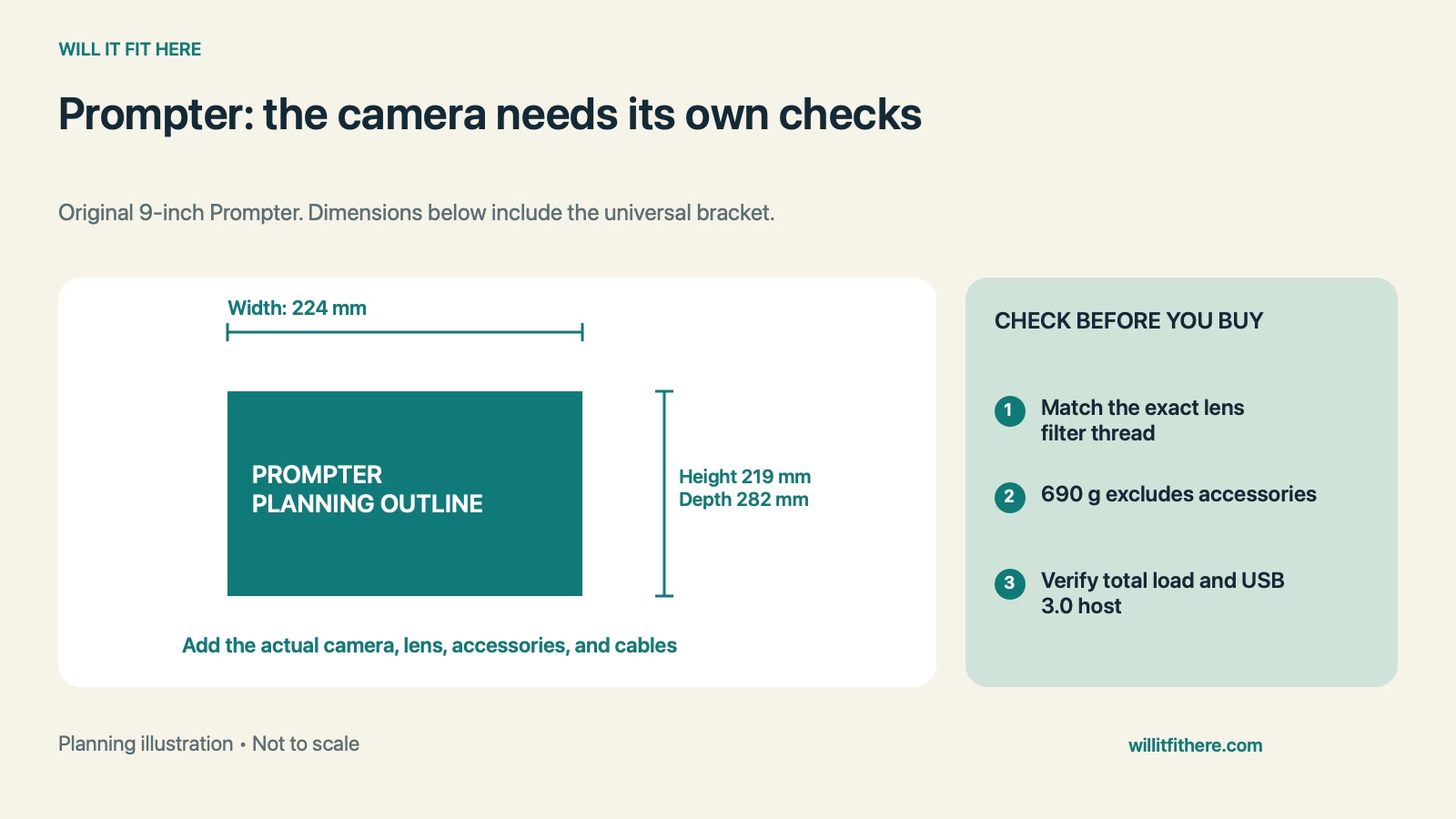
Fit verdict: Elgato Prompter Fit with a DSLR or mirrorless camera starts at the lens’s filter thread, then extends to the supporting mount and the space around the whole rig. The original 9-inch Prompter includes nine specific step-up ring sizes, not every diameter between them. Elgato lists its dimensions with the universal bracket as 224 mm wide, 219 mm high, and 282 mm deep. Camera size, accessories, and cables require additional checks.
This guide covers the original Prompter, not Prompter XL. It uses official specifications and hypothetical calculations, not firsthand testing of a particular camera or lens combination.
Published dimensions and connection points
| Check | Official specification |
|---|---|
| Prompter with universal bracket, W × H × D | 224 × 219 × 282 mm |
| Prompter weight without accessories | 690 g |
| Included lens-ring thread sizes | 49, 52, 55, 58, 62, 67, 72, 77, and 82 mm |
| Camera L-bracket attachment requirement | Camera needs a 1/4-inch mounting thread |
| Device interface | USB-C, USB 3.0 |
| Included USB cable | USB-C to USB-A 3.0 |
1. Read the filter-thread diameter, not the focal length
Start Elgato Prompter Fit by finding the filter size marked on the lens or in its official specifications. A focal-length number such as 50 mm describes the optics, not the threaded opening at the front. A lens could therefore need a ring bearing a different number. Match the actual filter thread to one of the included sizes listed above. Do not force a nearly matching ring or treat the collection as a continuous range of every millimeter from 49 to 82.
2. Check the lens and camera combination as a system
Elgato Prompter Fit is not fully established when the threads engage. Consider the lens’s physical shape, any movement during focusing or zooming, and the intended framing. Check the exact combination in Elgato’s compatibility resource, including any limitations listed with it. That resource contains both company and community information, so a listing is not an unconditional guarantee. If the thread-based arrangement is unsuitable, investigate the documented universal-backplate setup rather than improvising support against the glass or lens barrel.
3. Add every supported component to the load
The published 690 g figure excludes accessories. Your mount may also carry the camera body, lens, bracket, quick-release plate, microphone, or light. Record what is attached to each support rather than counting only the teleprompter. Elgato’s camera setup instructions require the tripod or mounting device to support the combined equipment. A ball head also needs to hold the actual forward-projecting arrangement securely. A matching screw thread does not prove adequate load capacity or stability.
4. Measure the full recording and storage envelope
Elgato Prompter Fit on a shallow desk depends on more than the 282 mm bracket depth. Mark the published outline first, then add the camera and lens in the planned mounting configuration. Check access to battery doors, memory-card slots, camera controls, and the rear display. Trace the setup at the intended tilt angle and leave room to adjust it without striking a monitor or shelf. For storage, measure the assembled arrangement you will actually put away; the listed product dimensions are not a packed-case specification.
5. Confirm the host and cable route before mounting
The connector on Prompter is USB-C, but physical plug shape alone does not establish a working host connection. Elgato specifies USB 3.0 and publishes operating-system requirements separately. Check those requirements for your computer and intended features. The included cable has a USB-A end for the host; a USB-C-only computer needs a suitable supported connection. Route the cable so camera adjustments do not pull the plug sideways. Using a phone as the camera is also different from using that phone to drive the Prompter display.
Elgato Prompter Fit: a worked mounting-load example
Imagine a 620 g camera body, a 430 g lens, and the 690 g Prompter. Their subtotal is 620 + 430 + 690 = 1,740 g. If the remaining supported brackets and accessories weigh 300 g, the total becomes 2,040 g. A mount rated for 2,000 g would already be exceeded by 40 g. This Elgato Prompter Fit example fails the simple mass check, and passing that check would still not prove adequate balance, head holding strength, or compliance with the mounting instructions.
Before assembling the rig
- Confirm original Prompter rather than the XL model.
- Read the lens’s filter-thread size and select the exact ring.
- Check the camera/lens combination and mounting instructions.
- Total all supported equipment and verify the mount.
- Allow space for camera access, adjustment, and the USB route.
FAQ
Does a 58 mm filter thread guarantee compatibility?
No. Elgato Prompter Fit includes the physical lens arrangement, support, and usable framing as well as the ring. The correct thread is one necessary check for that mounting method.
Does 282 mm describe the complete camera rig?
No. Elgato identifies that depth with the universal bracket attached. Measure the camera configuration and connected cables separately instead of assuming everything stays inside that outline.
Can an iPad drive the display because it has USB-C?
Elgato’s current requirements say Prompter does not support iPadOS or iOS as a connected host. The presence of a USB-C socket does not override that software limitation.
Related fit guides
For a separate camera-interface question, see Canon EF-EOS R lens-adapter checks. For another desk-mounted recording accessory, see Wave LP desk-clamp and microphone checks.
Official sources
Specifications and requirements checked November 6, 2026. Verify your exact camera, lens, mount, and current software requirements.