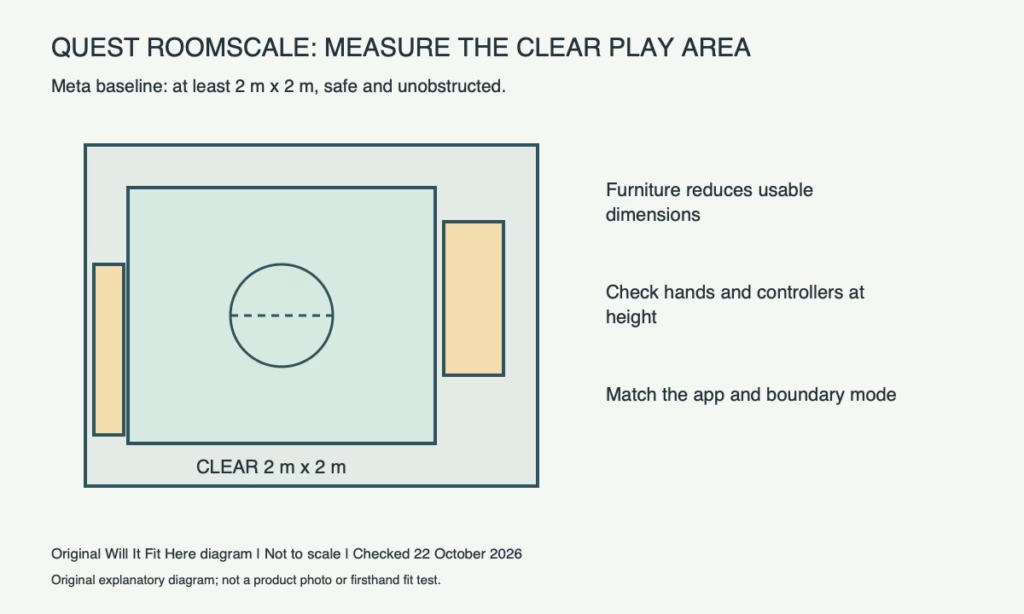
Result — Conditional. Meta specifies a safe, unobstructed Roomscale area of at least 2 × 2 metres. Measure clear playable space between furniture, not the room’s wall-to-wall size, and check reach, overhead obstacles and the particular app’s requirements.
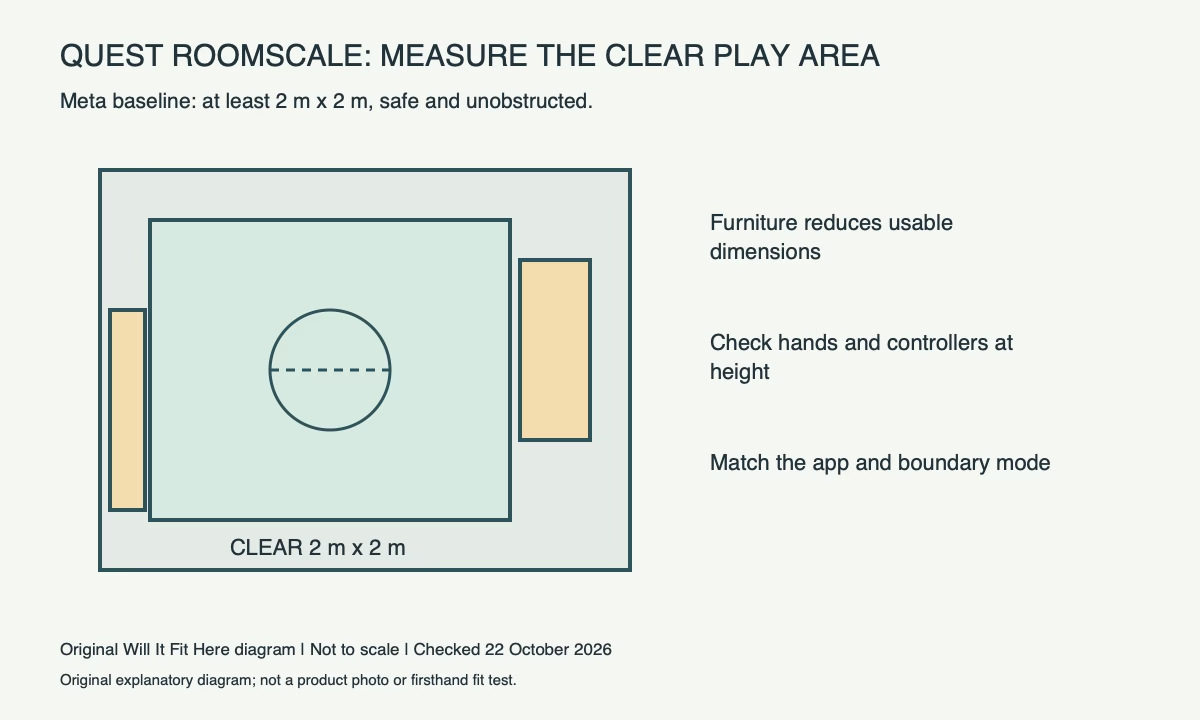
Dimensions: clear space is the relevant rectangle
Meta’s Roomscale support page gives at least 6.5 × 6.5 feet (2 × 2 metres) and offers Stationary Mode for smaller spaces. Use the metric dimensions when measuring closely; the imperial figures are rounded. This is a boundary-space reference, not a promise that every game fits every room of that size.
| Measurement | What to include |
|---|---|
| Roomscale baseline | At least 2 × 2 m safe, unobstructed space |
| Floor obstacles | Sofa legs, coffee table, cables, rug edges and pets |
| Reach and height | Hands, controllers, ceiling fixtures and fans |
| App requirements | The intended activity and supported play mode |
| Stationary alternative | A supported seated or standing-in-place experience |
Measure the narrowest clear space
Move removable obstacles before measuring. Mark a candidate rectangle with removable tape and measure both dimensions at the floor. Check the sofa arm or TV furniture at hand height as well: usable space can be narrower above the floor than between the furniture legs.
A hypothetical gap measuring 2.2 m across but only 1.8 m from sofa to cabinet fails the 2 × 2 m comparison. Its area cannot compensate for the short dimension. Rotating or drawing an irregular boundary does not make a solid obstruction disappear.
Check the reach envelope before putting on the headset
Stand in the intended space without wearing the headset and carefully assess ordinary arm movement, including the controller extending beyond your hand. Check lamps, windows, shelving, ceiling fixtures and anything projecting into the area. Do not test clearance by swinging controllers toward a television.
Leave a safe relationship to hazards in accordance with Meta’s safety guidance and the app’s instructions. A virtual boundary is an aid; it is not a physical guardrail and does not prevent another person or animal from entering.
Choose the play mode that the room supports
Check the specific game or activity before assuming it can run in Stationary Mode. Meta’s boundary setup guide distinguishes moving around in Roomscale from sitting or standing in place. A smaller-space option does not approve the same walking or lunging activity inside a smaller rectangle.
Set up the boundary in the real cleared arrangement, follow the headset’s prompts and verify the floor level as instructed. Recheck after moving furniture or changing rooms. Take off the headset to deal with interruptions rather than relying on a remembered floor plan.
The practical answer is yes only when the clear dimensions, safe reach and supported activity agree. If the room cannot supply that arrangement, choose an appropriate supported stationary experience or another play location.
Before you decide
- Measure at least 2 × 2 m of actual unobstructed play space.
- Check hand/controller reach and overhead obstacles separately.
- Confirm the app supports the chosen play mode.
- Set and recheck the boundary after furniture or room changes.
FAQ
Can enough total floor area replace a short side?
No. A 2.2 × 1.8 m gap does not meet the stated 2 × 2 m Roomscale dimensions.
Does the boundary stop a controller hitting the TV?
No. Keep the physical play area safe and clear; the boundary does not create a physical barrier.
Official sources and scope
Specifications and guidance checked on 22 October 2026. The named model and region control; follow the matching current instructions for your product. Worked examples are identified as hypothetical.