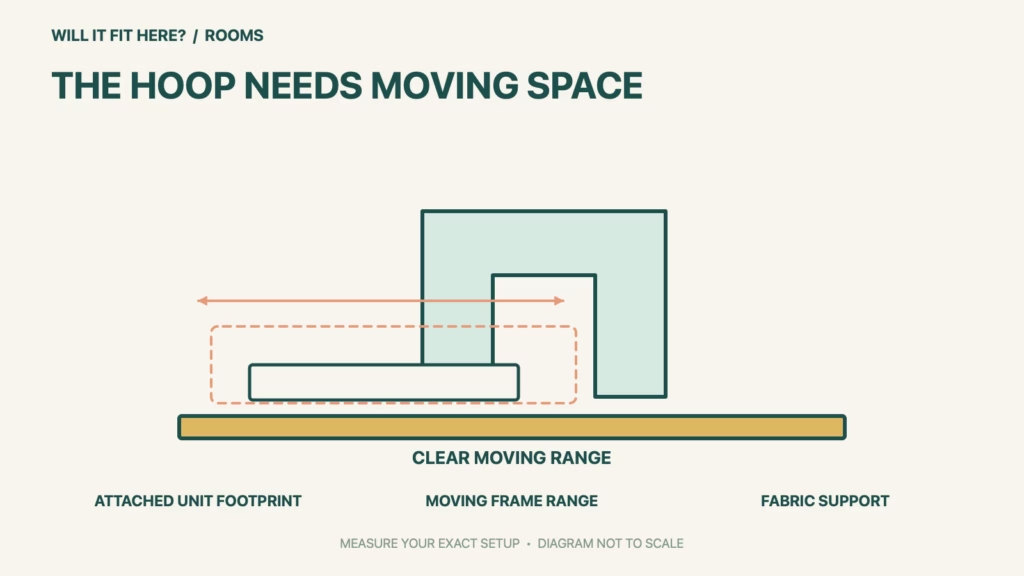
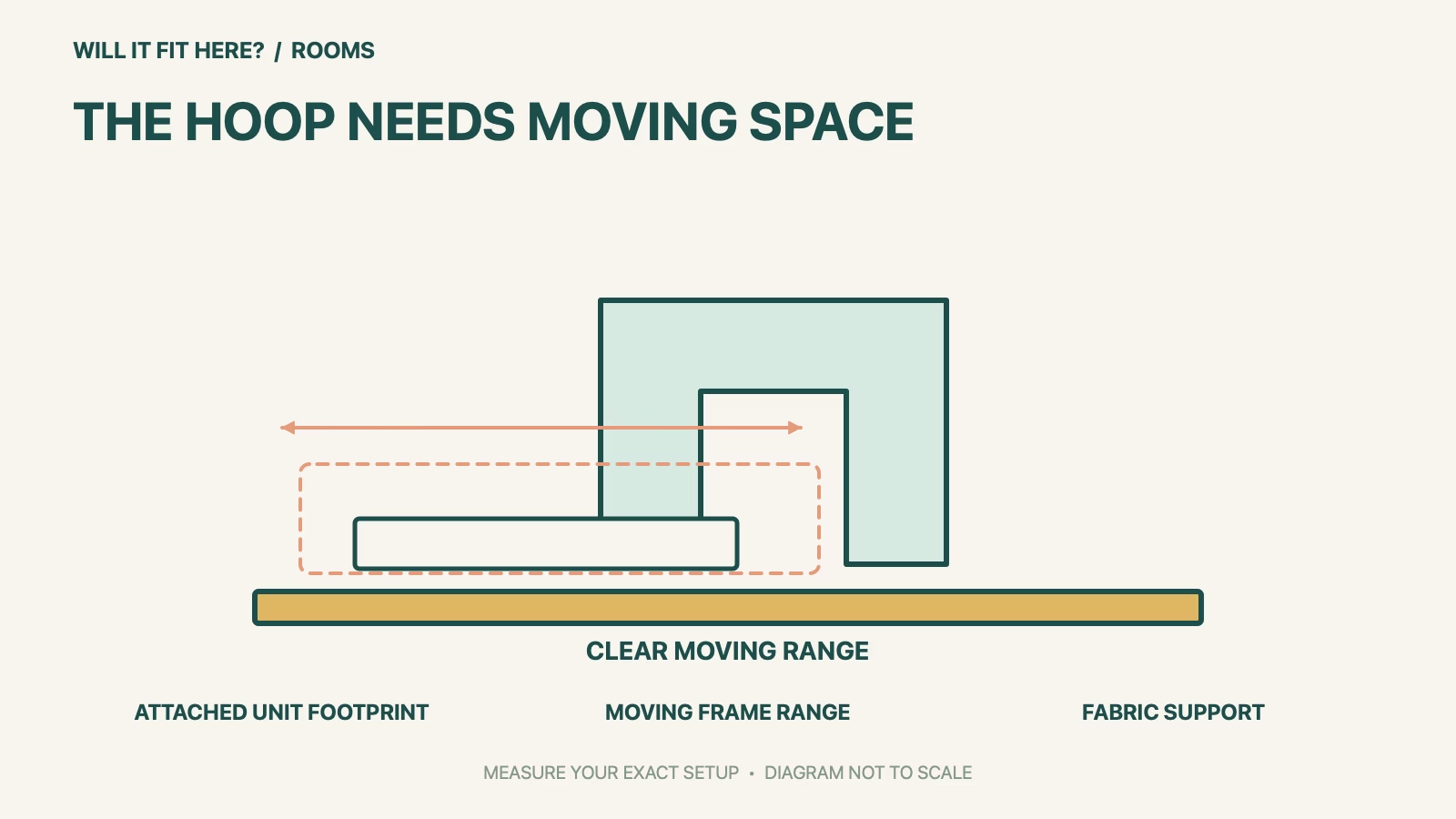
Fit verdict: Brother SE700 needs a supported work surface with clear space for the embroidery unit, moving frame and fabric. Its four-by-four-inch embroidery field is not the machine’s footprint or the total operating space. A table that holds the sewing machine alone can still obstruct embroidery movement.
This guide uses Brother’s SE700 product page and model-specific support instructions. It concerns table placement and moving-part clearance, not whether a larger design can be stitched in one hooping. Measure the actual machine, embroidery attachment and intended project rather than borrowing a cabinet opening from another Brother model.
Dimensions and conditions
| Check | Official reference | What to verify |
|---|---|---|
| Maximum embroidery field | 4 × 4 in | This is the design area, not the table size. |
| Published work area | 6.4 × 4.0 in | This is a different workspace reference, not the whole machine outline. |
| Embroidery attachment | Unit and frame movement | Keep objects outside the full moving range. |
| Large fabric pieces | Support on the table | Brother warns that hanging fabric can impair unit movement. |
| Setup and storage | Carriage positioning and unit removal | Follow the model procedure and leave handling access. |
1. Template the Brother SE700 with its attachment
Place a paper outline of the actual machine and embroidery unit on the proposed surface before planning nearby storage. Record the outline with the attachment fitted, since the sewing-only arrangement is a different configuration. Read the machine’s instructions for setup and handling. The published stitch field and needle-side work area answer different questions from overall support. Do not assume that adding four inches around a sewing-machine footprint reproduces the frame’s complete moving envelope.
2. Keep the moving frame and fabric clear
Brother specifically warns against objects in the embroidery frame’s movement range and against hands or objects striking the carriage while sewing. Plan the working area with thread stands, scissors, lights and storage boxes in their normal locations. Check the actual project’s fabric bulk as well as the frame. Brother advises arranging large fabric so it does not hang off the table and impede the embroidery unit. A clear tabletop at setup can become obstructed when a large garment is added.
3. Allow setup, removal and seated access
Use the official procedure for attaching, positioning and removing the embroidery unit; keep the necessary handling path unobstructed. Do not force a carriage by hand to make it fit a recess or test an unsafe movement. Include power and cable access where relevant, with the machine supported as instructed. Check how you will sit, handle the project and reach controls without leaning over moving parts. If a cabinet is intended for storage, assess the stored configuration separately from the open operating arrangement.
Before you decide: 5 checks
- Confirm the SE700 model and its embroidery attachment.
- Measure the actual supported outline with the unit fitted.
- Keep the entire frame movement range free of surrounding objects.
- Support the intended fabric so it does not pull against movement.
- Check the official attachment/removal procedure and seated working access.
Keep a short Brother SE700 fit record with the exact product or service identity, the official rule you checked and the measurements from your own setup. Mark anything you could not verify as unresolved. Recheck the record if the product, accessories, route or surrounding space changes; an earlier fit result belongs to the configuration that was actually checked.
FAQ
Does Brother SE700 need only a four-by-four-inch space?
No. That is the maximum embroidery design field. The machine, attachment, moving frame and fabric require a separate space assessment.
Can a sewing-only cabinet opening prove embroidery fit?
No. Fit must be checked with the embroidery unit and frame in the intended operating configuration.
Can I let a large project hang off a small table?
Brother warns that hanging fabric can impair embroidery-unit movement. Plan suitable fabric support and keep the moving area clear.
Related fit guides
Continue with IKEA RUNNEN Fit: 5 Balcony-Threshold Checks or browse Rooms fit guides. Check each item against its own specifications; a related guide does not establish this product’s compatibility.
Official sources
- Brother SE700 official workspace and embroidery-field specifications
- Brother SE700 tips: frame movement and fabric support
- Brother SE700 embroidery-unit attachment and removal
Sources checked 29 October 2026. Measurements and conditions are attributed above; room and packing checks are planning guidance. Recheck the current official instructions before purchase, installation or travel.