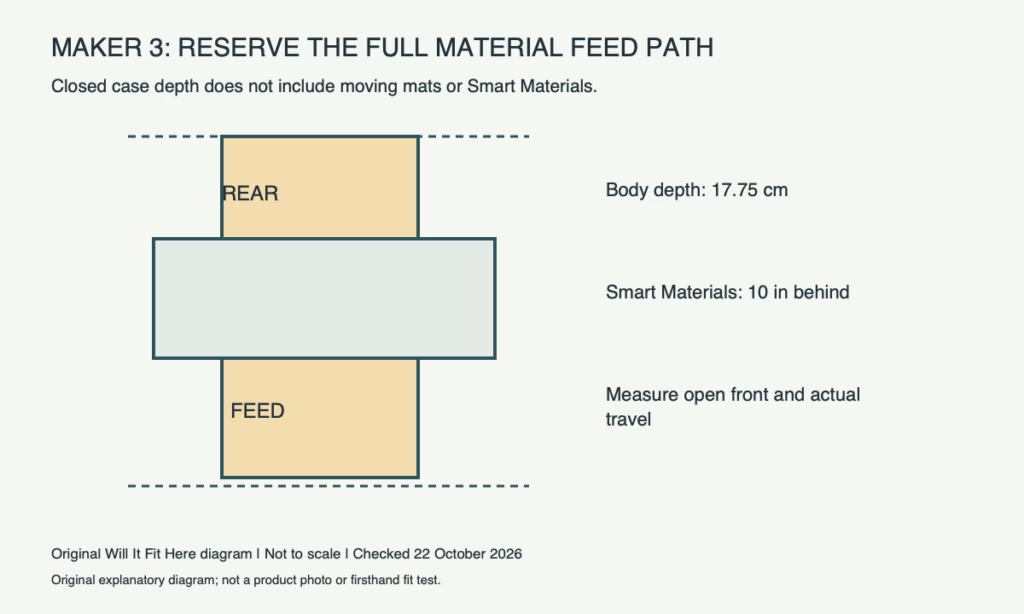
Result — Conditional. A shelf that holds the closed Maker 3 may not support cutting. You need space for the open machine, moving mat or Smart Material, connected cables and your loading operation. Cricut specifies 10 inches behind the machine for Smart Materials to feed through.
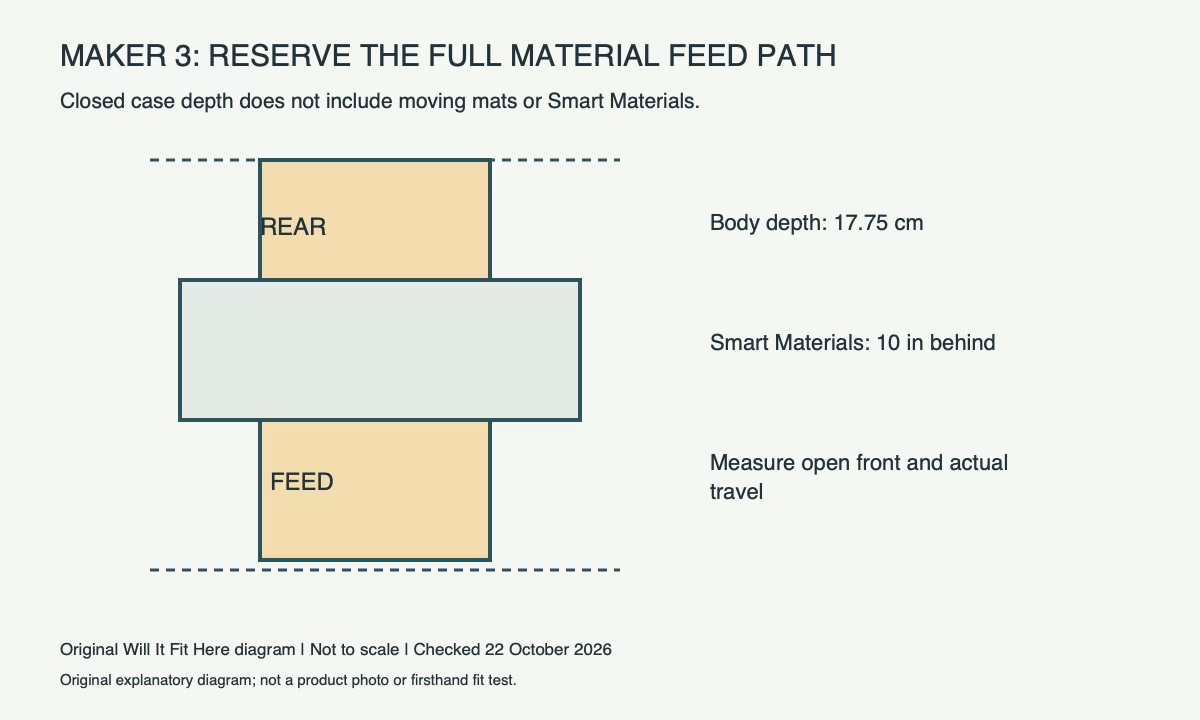
Dimensions: the closed case is only one envelope
Cricut lists Maker 3 at 53.80 cm long, 17.75 cm deep and 15.06 cm high, weighing 4.84 kg. These figures do not describe the entire working surface. Confirm the model: Maker, Maker 3 and Maker 4 have separate specifications.
| Maker 3 planning item | Official reference or measurement |
|---|---|
| Body | 53.80 L × 17.75 D × 15.06 H cm |
| Smart Material rear feed space | 10 in behind the machine |
| Compatible mat sizes | 12 × 12 in and 12 × 24 in, plus specified Card Mat |
| Working envelope | Measure open trays, actual mat/material travel and loading access |
Test the project you will actually cut
Choose whether your usual work uses a machine mat or supported Smart Material. Put a light outline of the machine on the shelf, then lay out the actual mat or material along the feed direction. Check the wall, a shelf upright and objects in front. Material that has to bend sharply against a wall has not passed the feed-space check.
Cricut’s 10-inch rear guidance is given for Smart Materials. It is not a promise that every long mat and every project needs only that distance. Measure the full moving envelope of your chosen setup, including the space in front and any roll holder.
Do not confuse mat area with total mat length
The named 12 × 24 inch size describes the mat family. Inspect the complete mat, including its non-cutting edges, rather than cutting a paper template to the usable artwork size alone. The machine feeds material back and forth; the object must remain clear throughout that motion.
For a hypothetical shelf only 20 cm deep against a wall, the 17.75 cm case comparison leaves 2.25 cm. That arithmetic does not accommodate Cricut’s stated Smart Material rear space, an open front or cables. It therefore cannot establish an operating fit.
Allow loading and removal in the room
Check that you can open the machine normally, reach its controls and guide material straight into the intended path. Keep small tools, loose cable loops and decorations out of the travel area. Follow Cricut’s material-specific loading and support instructions.
Check the supporting shelf’s rated load and stability for the complete setup, including accessories. Use the specified power supply and route its lead where normal material movement cannot pull it. A shelf suitable for storing the closed machine may still require moving it to a suitable worktable for cutting.
Record the closed storage fit and operating fit separately. Only call the cutting position suitable after the actual project’s complete feed path remains unobstructed.
Before you decide
- Identify Maker 3 and the exact mat or Smart Material project.
- Measure the closed case and the open working arrangement separately.
- Provide the stated Smart Material rear space and check full front/rear travel.
- Confirm support, straight loading, cables and removal access.
FAQ
Does the 17.75 cm depth include a moving mat?
No. Treat the case depth separately from the complete mat and its travel.
Does 10 inches behind the machine cover every project?
No. It is Cricut’s Smart Material feed guidance; check the actual mat or material setup and space in front as well.
Official sources and scope
Specifications and guidance checked on 22 October 2026. The named model and region control; follow the matching current instructions for your product. Worked examples are identified as hypothetical.
- Cricut Maker 3 official dimensions and compatible mats
- Cricut Smart Materials feed-space instructions